
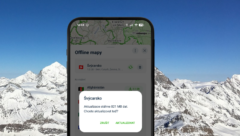
When updating offline maps, you now only download a portion of the map. For example, with the map of Switzerland, expect to save up to 45% of storage space. Update your maps today.
(Page 2)
When updating offline maps, you now only download a portion of the map. For example, with the map of Switzerland, expect to save up to 45% of storage space. Update your maps today.
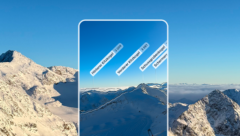
With the HorizontAR feature, you can reliably identify the mountains around you, even under a snow cap. Although the feature is part of Mapy.com Premium, you can now try it up to 5 times for free; you just need to be logged in.

Along with navigation, you can now see the route on your wrist. All you need is an iPhone paired with your Apple Watch and the Mapy.com app with a Premium subscription.
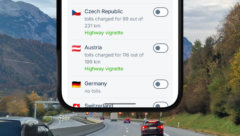
Plan your route abroad on Mapy.com and we will direct you straight to the official vignette e-shop. Plus, we’ll let you know if there are any tolls along the way.

A year ago, we asked for your support as we launched the very first premium version of Mapy.com. So how did it go? Not only did we deliver everything we promised, we’ve added even more. And that’s mostly thanks to you!

Try location sharing. You can share your location temporarily or permanently, one-way or mutually. We recommend it for children, hikers, and even a lost phone.